Public shares
zrok supports public sharing for web-based (HTTP and HTTPS) resources. These resources are easily shared with the general internet through public access points.
Peer-to-public
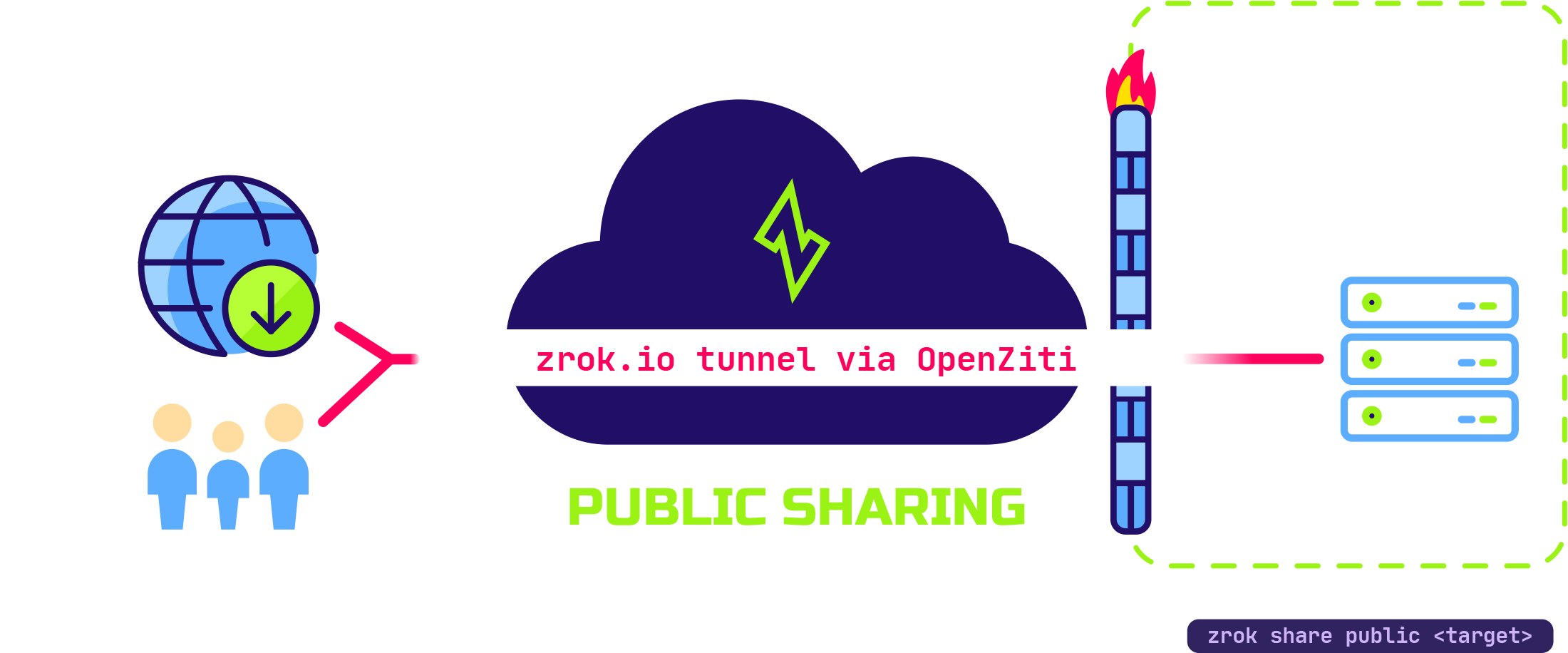
Public sharing is most useful when the person or service accessing your resources doesn't have zrok running locally and can't make use of the private sharing mode. Many users share development web servers, webhooks, and other HTTP/HTTPS resources.
As with private sharing, public sharing doesn't require you to open any firewall ports or otherwise compromise the
security of your local environment. A public share goes away as soon as you terminate the zrok2 share command.
To create and manage public shares, see Manage shares with the agent. For persistent public shares with a stable URL, see Reserved names and namespaces.
Backend modes
Public shares support HTTP-based backend modes only:
proxy: Forwards incoming requests to any HTTP or HTTPS URL reachable from your machineweb: Serves a local directory as a browsable file index or static websitedrive: Exposes a local directory over WebDAV for mounting as a network drivecaddy: Runs the built-in Caddy server using a Caddyfile you provide
The default mode is proxy, which forwards requests to any HTTP or HTTPS URL reachable from your machine:
zrok2 share public 80
See Backend modes for the full list.