Step 3: Enable your environment
In this step, you'll enable a zrok environment on your machine using your account token. Enabling creates a secure identity tied to your device so you can start creating shares.
Enable your environment
Run this command with your account token from Step 1:
zrok2 enable <your_account_token>
After a few seconds, you'll see:
⣻ the zrok environment was successfully enabled...
Verify the environment
Confirm everything is set up correctly:
zrok2 status
You should see output like this:
Config:

╭──────────────────┬────────────────────────┬────────╮
│ CONFIG           │ VALUE                  │ SOURCE │
├──────────────────┼────────────────────────┼────────┤
│ apiEndpoint      │ https://api-v2.zrok.io │ env    │
│ defaultNamespace │ public                 │ binary │
│ headless         │ false                  │ config │
│ superNetwork     │ false                  │ config │
╰──────────────────┴────────────────────────┴────────╯

Environment:

╭───────────────┬─────────╮
│ PROPERTY      │ VALUE   │
├───────────────┼─────────┤
│ Account Token │ <<SET>> │
│ EnvZId        │ <<SET>> │
╰───────────────┴─────────╯
Both Account Token and EnvZId should show <<SET>>. Your environment is ready.
If you're using a self-hosted zrok instance, configure your API endpoint before enabling:
zrok2 config set apiEndpoint https://your-zrok-instance.example.com
Your apiEndpoint value in zrok2 status will show your instance's URL instead of https://api-v2.zrok.io.
Visualize your environment
If you open the API console, you'll see your new environment reflected in the visualizer. The environment is named after your shell username and hostname. Click the environment node in the explorer to see its details in the panel at the bottom of the page:
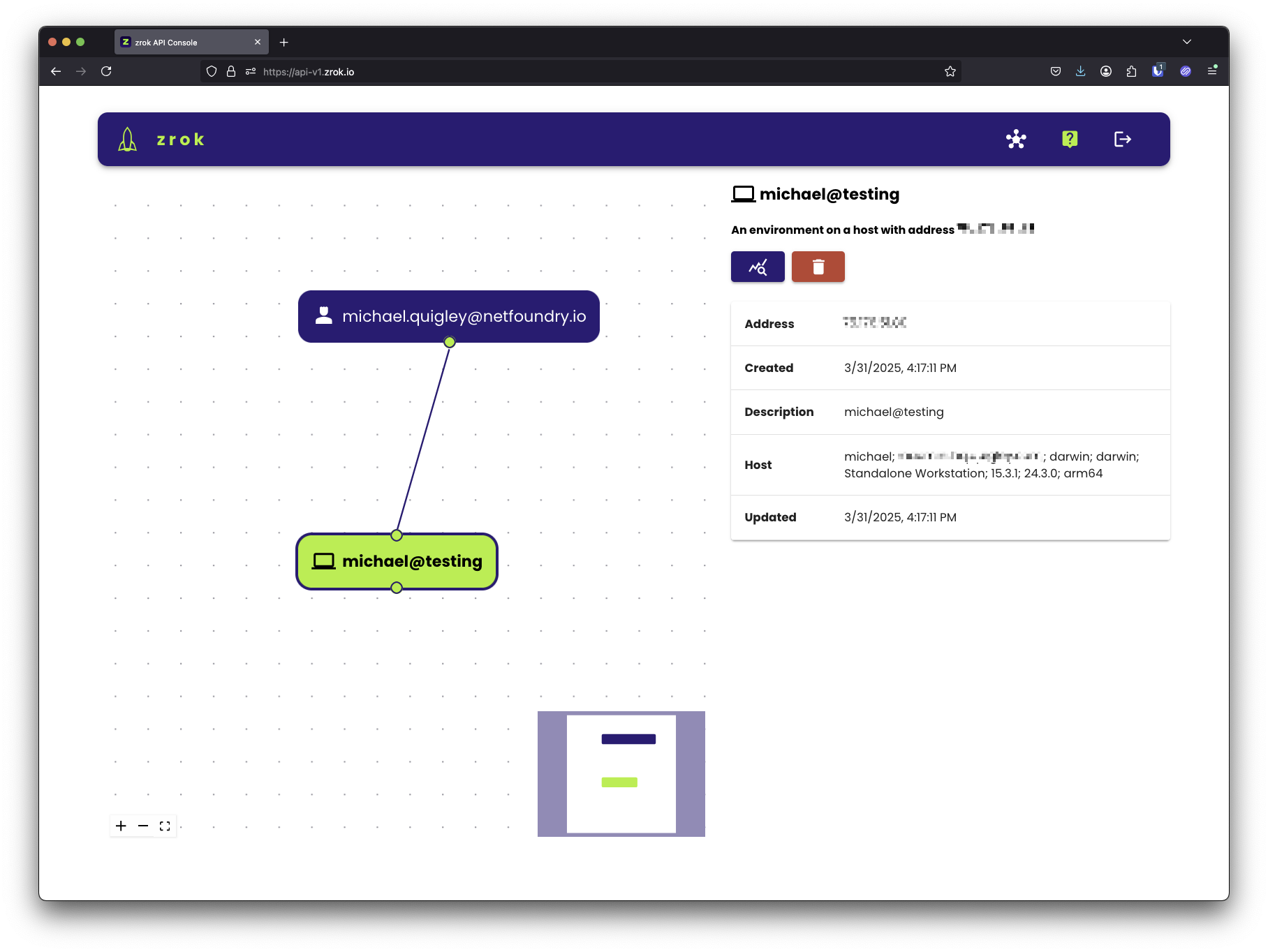
The visualizer supports clicking, dragging, and mouse wheel zooming. If you get lost, click the zoom-to-fit icon in the lower-left corner of the explorer to reset the view.
With your zrok account, you can zrok2 enable multiple environments. This allows you to share (and access your
shares) from multiple environments simultaneously.